
Auto Top-Up: Your Signal API Credit Balance Now Refills Itself
Published
Save a card, set a threshold, and stop thinking about credits. Live today for everySignal API workspace.
TL;DR: Auto top-up is live on the Billing page. When your credit balance drops below a threshold you set, we automatically buy the credit package you picked and email you a receipt. Optional monthly spending cap, card-expiry warnings, and automatic shutoff on repeated card failures. Turn it off anytime with one toggle.
The Problem: Pipelines Die at 2am
The worst API failure mode is the invisible one. Your enrichment job runs nightly, your credit balance quietly hits zero, and the API starts returning 402s. Nobody notices until the morning report comes back empty. Now you're debugging a "data pipeline issue" that's actually a billing issue.
Until now the fix was manual: notice the low-balance email, log in, buy a package, and hope you got there before the balance ran dry. That works for a side project. It does not work for production data infrastructure feeding your CRM, your scoring models, or your customers.
How It Works
Three steps on the Billing page:
- Save a card. Card details go directly to Stripe. They never touch Autobound servers.
- Turn on Auto Top-Up. Pick the credit package to buy and the balance threshold that triggers it.
- Done. When your balance drops below the threshold, we buy the package, add the credits, and email you a receipt with the new balance.
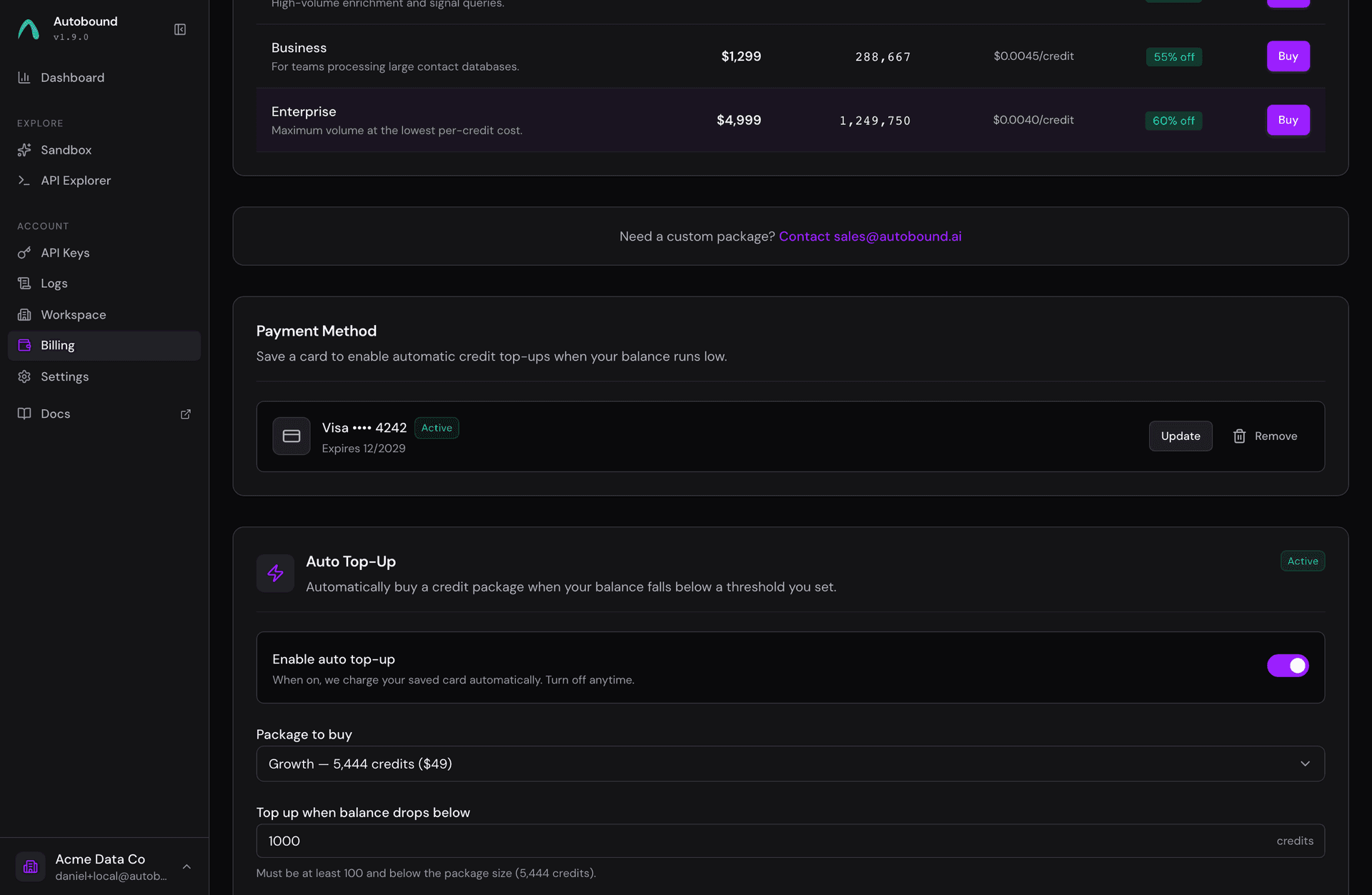
Guardrails, Because It's Your Card
Automatic charging only works if you trust it. Here's what's built in:
- Monthly spending cap (optional). A hard ceiling on auto-charges per calendar month. Hit it and auto top-up pauses until next month. We email you when that happens.
- A receipt for every charge. Amount, credits added, new balance. No mystery line items on your statement.
- Card-expiry warnings. We email you 30 days before your saved card expires, so top-ups never silently start failing.
- Automatic shutoff on failures. A declining card gets three attempts. Then auto top-up disables itself and emails you, instead of retrying forever.
- One-toggle off switch. Turn it off anytime. Removing your card also disables it.
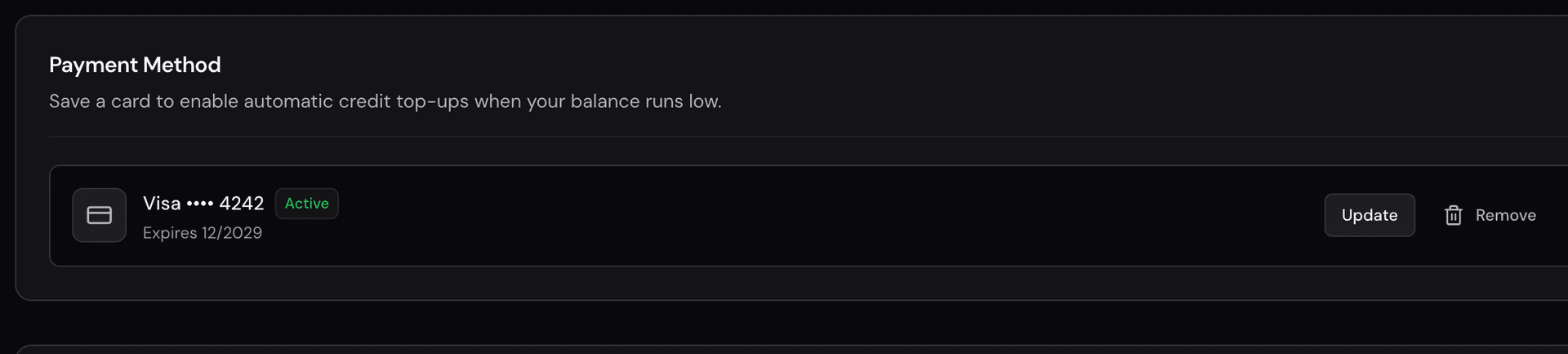
Built Like Money Code
Charging cards automatically is the kind of feature you only get to launch once, so we were paranoid about it. Every charge is idempotent end to end: a network blip, a retried webhook, or a concurrent trigger can never double-charge your card or double-grant credits. Refunds and disputes automatically reverse the credits they covered. And the whole system went through multiple rounds of adversarial review hunting specifically for double-charge and accounting bugs before we turned it on.
The result: your balance stays correct to the credit, and your card statement matches your purchase history exactly.
Turn It On
It's live now for every workspace. Head to signalapi.autobound.ai/billing, save a card, and flip the toggle. Full details in the changelog.
Questions? Email support@autobound.ai.