

Generate Everything from a Single Email to a Full Sequence
Utilize Autobound's Clay integration to upgrade your outreach by transforming Clay's rich data into high-performing, brand-safe messaging. Autobound automates turning data into relevant, personalized emails, LinkedIn messages, and call scripts without the mountain of manual work required to craft the perfect prompts.
Turn Clay's Data Into Revenue with AI-Powered Personalization Clay
Instantly enrich your Clay lists with 700+ real-time insights and generate hyper-personalized outreach content at scale.
Key capabilities
What Autobound + Clay unlocks for your team.
Two Integration Methods
Connect via Clay's built-in Autobound enrichment for quick, single-step content generation, or use HTTP + Webhook for full access to AI Studio campaigns, sequences, and advanced configuration.
Clay Native Enrichment Actions
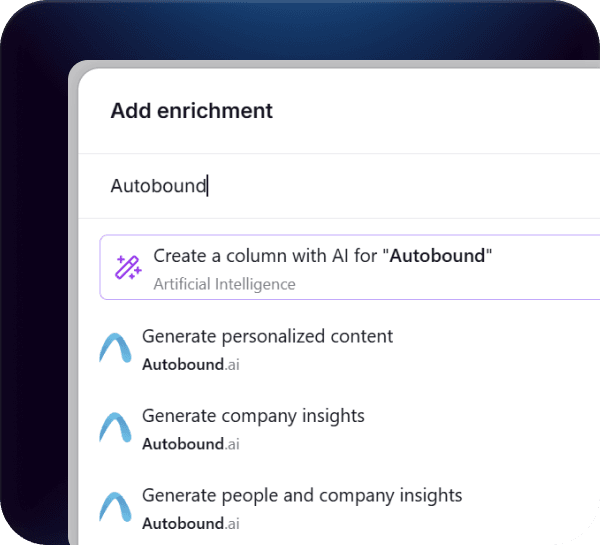
Add Autobound as a native enrichment step in any Clay table. Pass a contact email or LinkedIn URL and receive AI-generated content directly in new columns -- no external setup required.
HTTP + Webhook for Full AI Studio Access
Use Clay's HTTP POST action to send prospect data to Autobound's API, then receive finished content back via webhook. This method unlocks multi-step sequences, Content Hub, custom cadences, and bulk review workflows.
Sales Methodology Selection
Define a specific sales methodology -- Challenger, SPIN, consultative, problem-agitate-solve, or a custom framework -- and every piece of generated content follows that structure automatically.
Content Hub Auto-Selection
Autobound's Content Hub stores your approved value propositions, messaging frameworks, and brand guidelines. It auto-selects the right value prop for each prospect based on their signal profile, so output is strategically aligned without manual prompt engineering.
Multi-Channel Output
Generate single emails, multi-step sequences, LinkedIn connection requests and follow-ups, SMS messages, and call scripts -- all returned directly to your Clay table as enrichment columns ready for downstream tools.
How it works
Get up and running with Clay in 4 simple steps.
Choose Your Content
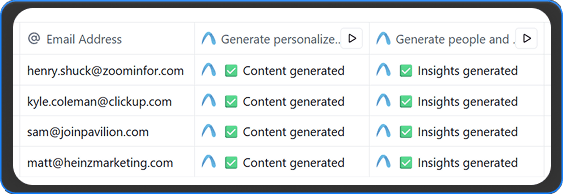
Start with a single, powerful email or generate a complete, multi-step sequence. Autobound provides the flexibility to create various content types, including email openers, full emails, call scripts, and multi-day sequences, directly within your Clay environment.
Personalize Every Step
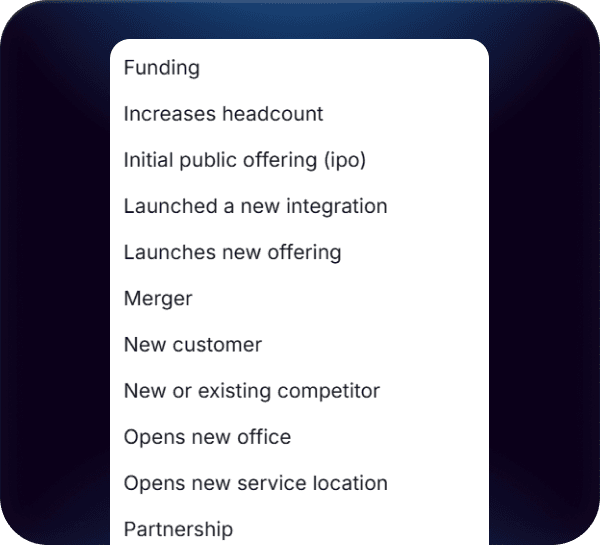
Go beyond basic tokens and infuse your outreach with deep personalization. You can customize the output by defining a specific sales methodology (like Challenger), or even passing in additional context from other data points you have in Clay to make the outreach even more precise and compelling.
Stay In Your Stack
There's no need to switch between tools. Enrich your existing prospect lists from CSVs, CRMs, or other Clay sources. Autobound is a powerful enrichment layer right inside your Clay table, keeping your workflow streamlined and efficient.
.png&w=1920&q=75)
Review, Approve, and Scale
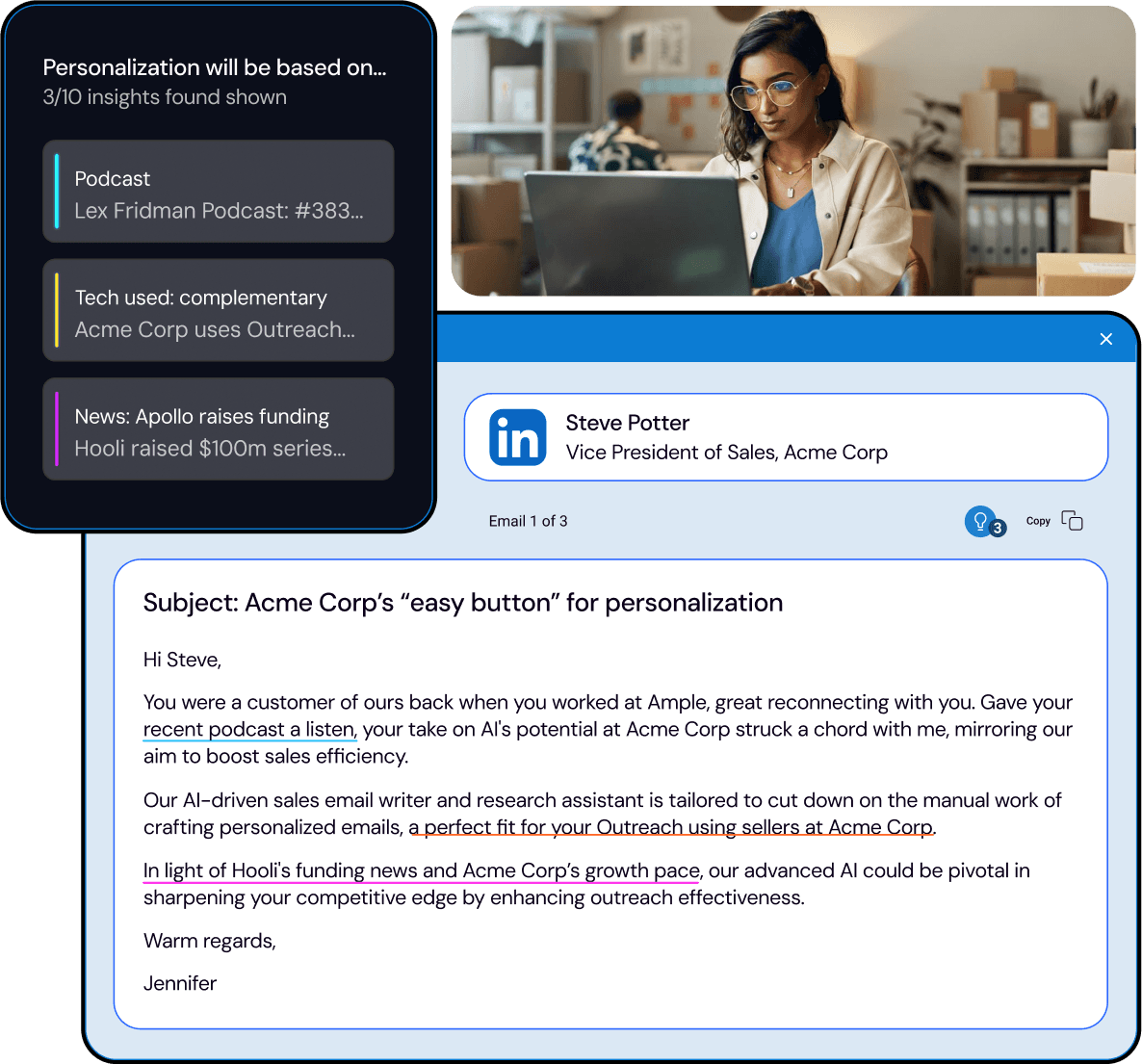
Autobound gives you full control. The generated content and the insights used to create it are clearly displayed, allowing for quick review and editing. This allows you to approve content at scale, ensuring every message is A+ before it launches, whether you're sending one email or 20,000.
Why Clay + Autobound: Enrichment and Content in One Step
Clay is the gold standard for prospect data enrichment -- pulling from dozens of sources to build rich, multi-dimensional profiles of your target accounts and contacts. But data alone does not book meetings. The gap between having 50 enriched columns in a Clay table and sending a compelling, personalized email is where most teams stall. They either write generic templates that ignore the data they just collected, or they spend hours manually crafting prompts to turn each data point into usable messaging.
Autobound eliminates that gap entirely. It acts as a powerful enrichment layer right inside your Clay table, combining its own 700+ real-time buyer signals -- funding rounds, leadership changes, hiring surges, tech stack shifts, earnings calls, competitive moves -- with whatever data Clay has already surfaced. The result is not just more data columns. It is finished, ready-to-send outreach content: multi-step email sequences, LinkedIn messages, SMS copy, and call scripts, each uniquely crafted for the individual prospect based on the full picture of who they are and what they care about right now.
Unlike integrations that only move data in one direction, the Clay-Autobound connection is bidirectional. Clay sends prospect data to Autobound, and Autobound sends finished content and the insights used to create it back into your Clay table. Your entire workflow -- from lead sourcing through content generation to campaign launch -- stays inside Clay.
How the Two Connection Methods Work
Autobound offers two distinct ways to connect with Clay, each suited to different use cases and levels of customization.
Built-in Clay Enrichments (Simple): Clay includes Autobound as a native data provider in its enrichment marketplace. To use it, add an Autobound enrichment step to any Clay table. Clay will send the minimum required fields -- a contact email or LinkedIn URL -- along with any recommended fields like contact name, company name, and company domain. Autobound processes the request using Clay credits or your own Autobound API key, and returns AI-generated content directly into new columns in your table. This method is fast to set up and ideal for teams that want quick, single-step content generation without leaving the Clay interface.
HTTP + Webhook (Recommended for Advanced Use): For teams that want access to the full range of Autobound web app functionality, the HTTP + Webhook method is the recommended approach. In Autobound, you configure a campaign set to "Monitor from API request." In Clay, you set up an HTTP POST action that sends prospect data to Autobound's API endpoint. Autobound processes the request -- applying your defined value propositions, sales assets, writing styles, and sequence templates -- then exports the finished content back to Clay via webhook. This method unlocks everything the Autobound web app can do: multi-step sequences with custom cadences, methodology-specific messaging, full Content Hub integration, and bulk generation with review workflows.
Both methods support the same minimum data requirements. You need at least a contactEmail or contactLinkedinUrl for each prospect. For best results, also pass contactName, contactCompanyName, and contactCompanyDomain. The more context you provide, the more targeted the output.
Advanced Patterns: Methodology, Context Passing, and Bulk Approval
Sales Methodology Selection: Autobound does not generate generic AI copy. You can define a specific sales methodology -- Challenger, SPIN, consultative, problem-agitate-solve, or your own custom framework -- and every piece of generated content will follow that structure. A Challenger-style email leads with a provocative insight. A SPIN-style call script opens with situation questions. This is configured once in your Autobound Content Hub and applied automatically to every prospect in your Clay table.
Context Passing from Clay Data Points: The real power of the Clay integration emerges when you pass additional context from other enrichment steps into Autobound. If Clay has already identified a prospect's tech stack, recent job changes, company headcount trends, or industry vertical, you can include those fields in the data sent to Autobound. Autobound will weave that context into the generated messaging alongside its own 700+ signals, creating outreach that reflects the full depth of your research without requiring manual prompt engineering.
Review and Approve at Scale: Whether you are generating content for one prospect or 20,000, Autobound gives you full visibility into what was created and why. Every piece of generated content is displayed alongside the specific insights that informed it -- so you can see exactly which signals drove the messaging. Review and edit individual messages, approve batches in bulk, or set up automated sending rules. The workflow scales from careful, account-based selling where every email is hand-reviewed to high-volume campaigns where speed and consistency matter most.
Output Flexibility: Autobound can generate single emails, multi-step sequences with custom day spacing, LinkedIn connection requests and follow-ups, SMS messages, call scripts, and account briefs. All output types are available through both connection methods, and all are returned directly to your Clay table as enrichment columns -- ready to be pushed downstream to Outreach, Salesloft, HubSpot, or any other tool in your stack.
Frequently asked questions
Should I use Clay's built-in enrichment or the HTTP + Webhook method?
The built-in enrichment is best for quick, single-step content generation -- add an Autobound enrichment action to your Clay table, pass a contact email or LinkedIn URL, and get AI-generated content back in new columns. It is fast to set up and runs entirely within Clay.
The HTTP + Webhook method is recommended for teams that want full access to Autobound's AI Studio features: multi-step sequences with custom cadences, Content Hub value proposition auto-selection, sales methodology frameworks, and bulk review-and-approve workflows. If you are running campaigns with more than basic single-email output, use HTTP + Webhook.
Does the Clay integration use Clay credits or Autobound credits?
It depends on which connection method you use. The built-in Clay enrichment can run on Clay credits (billed through Clay's enrichment marketplace) or on your own Autobound API key -- you choose during setup. The HTTP + Webhook method uses your Autobound subscription and API key directly, with no Clay credits consumed for the Autobound processing step.
Can I pass custom context from other Clay columns into Autobound?
Yes. This is one of the most powerful aspects of the integration. If Clay has already enriched a prospect with tech stack data, recent job changes, company headcount trends, or industry vertical from other enrichment providers, you can include those fields in the data sent to Autobound. Autobound weaves that context into the generated messaging alongside its own 700+ real-time buyer signals, creating outreach that reflects the full depth of your research without manual prompt engineering.
What output formats does Autobound return to my Clay table?
Autobound can return single emails, multi-step email sequences with custom day spacing, LinkedIn connection requests and follow-ups, SMS messages, call scripts, and account briefs. All output types are available through both connection methods and are delivered as enrichment columns in your Clay table -- ready to be pushed downstream to Outreach, Salesloft, HubSpot, or any other tool in your stack.
How do webhook responses work with the HTTP + Webhook method?
In Autobound AI Studio, you create a campaign set to "Monitor from API request." In Clay, you configure an HTTP POST action that sends prospect data (at minimum contactEmail or contactLinkedinUrl) to Autobound's API endpoint. Autobound processes the request -- applying your value propositions, sales assets, writing styles, and sequence templates -- then exports the finished content back to Clay via webhook. The webhook payload populates new columns in your Clay table with the generated content and the specific insights used to create it.
Other integrations
Autobound works across your entire sales stack.

n8n
Connect n8n to Autobound's API to automate hyper-personalized outreach at scale, delivering unique, multi-channel messages to every prospect through any workflow you design.

Generate AI-personalized InMails and connection requests from any LinkedIn profile with the Chrome Extension, or create bulk LinkedIn content at scale with AI Studio. Autobound generates the content -- you send it.

Gmail
Build multi-step AI-personalized sequences that send directly from Gmail. Autopilot for scale, Copilot for control, Chrome extension for ad-hoc.
Use Cases
See how teams use Autobound
From autopiloted SDRs to enterprise copilots -- explore real workflows.
Platform
Explore the platform
Signal Engine, Insights Engine, Content Hub -- see the full product.
Success Stories
Real results from real teams
See how companies are driving replies, meetings, and revenue.
Related Articles
Nobody Lies to r/sysadmin: Reddit Is Now a B2B Signal Source
Autobound now mines 500+ hand-vetted business communities for 15 types of B2B signal: buying intent, pricing revolts,...
Patents are a buying signal. We rebuilt ours from the string up.
A relaunched patent signal feed: four subtypes, an entity-resolution engine that turns raw assignee strings and inven...
What's New at Autobound Signal API: Fall 2026
Real, typed buying signals from 12,000 podcast episodes a day and 5,400 conference agendas a year, with the executive...

Explore signal data
35+ data sources. 250M+ contacts. Custom configurations for your use case.