

Generate InMails and Connection Requests That Get Replies
Turn every LinkedIn profile into a personalized conversation starter. Autobound reads 700+ signals from each prospect to craft InMails and connection requests that actually get replies. Autobound generates the content -- you send it manually through LinkedIn.
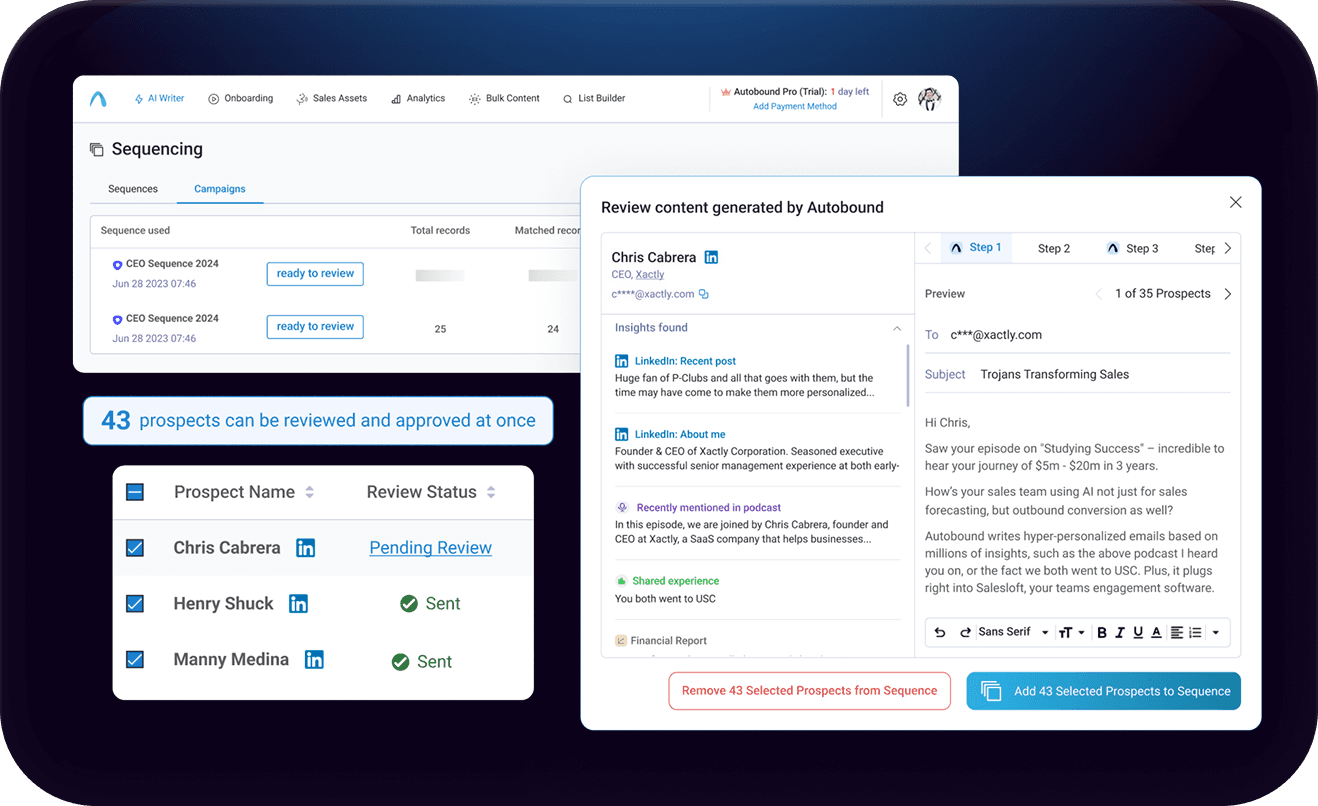
AI-Powered LinkedIn Content Generation via Chrome Extension and AI Studio with LinkedIn
Generate AI-personalized InMails and connection requests from any LinkedIn profile with the Chrome Extension, or create bulk LinkedIn content at scale with AI Studio. Autobound generates the content -- you send it.
Key capabilities
What Autobound + LinkedIn unlocks for your team.
One-Click Chrome Extension
Visit any LinkedIn profile and generate a personalized InMail or connection request in seconds. The Chrome Extension sidebar works directly on LinkedIn -- no tab switching, no copy-pasting from another tool.
700+ Real-Time Buyer Signals
Every message is powered by over 400 buyer signals -- funding rounds, leadership changes, hiring surges, tech stack shifts, earnings calls, product launches, and more -- not just a first name and company swap.
InMail and Connection Request Generation
Generate both InMail messages and connection requests tailored to the specific prospect. Autobound adjusts tone, length, and structure based on the message type you select.
Content Hub Brand Voice
Define your value propositions, messaging frameworks, and brand voice in Content Hub. Autobound auto-selects the right positioning for each prospect so every LinkedIn message stays on-brand and strategically aligned.
AI Studio Bulk LinkedIn Content
Generate personalized LinkedIn message content for hundreds or thousands of contacts at once in AI Studio. Review in bulk, then export via CSV or copy for manual delivery on LinkedIn.
Export to Multi-Channel Platforms
Push AI-generated LinkedIn content to Outreach, Instantly, or other platforms via CSV export for use in multi-channel outreach campaigns alongside email and phone touches.
How it works
Get up and running with LinkedIn in 4 simple steps.
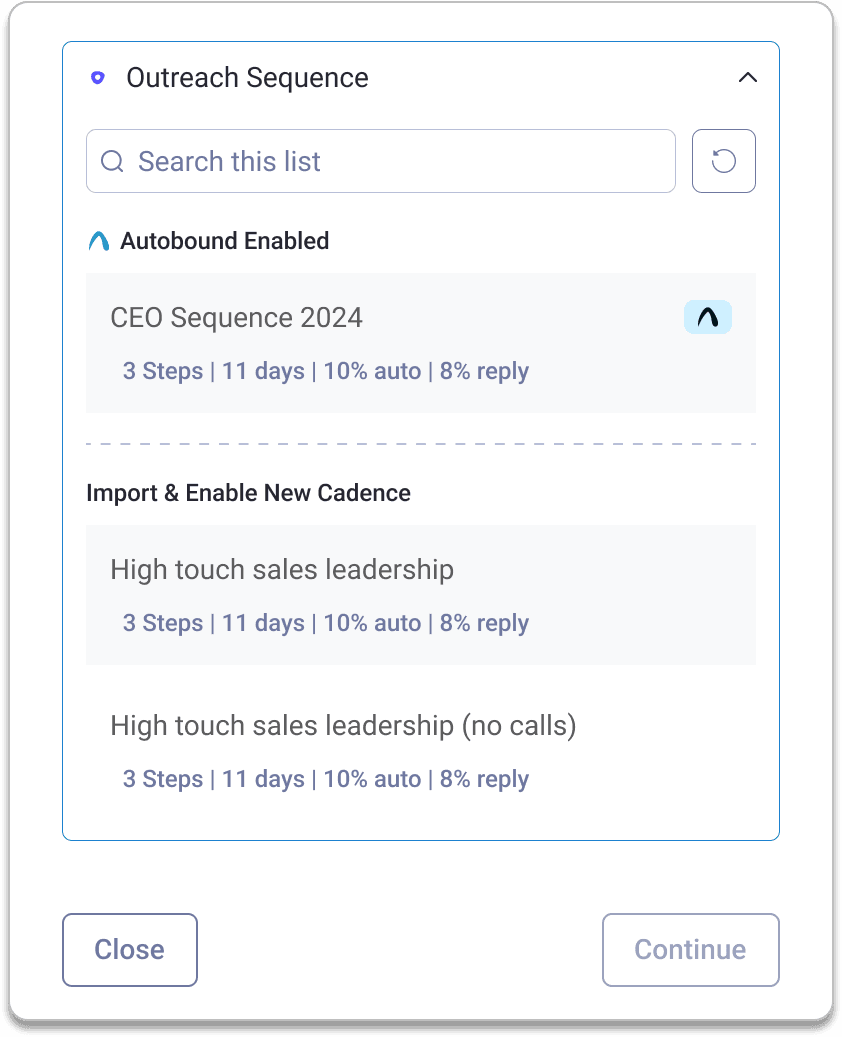
Visit a LinkedIn Profile
Navigate to any LinkedIn profile and click the Autobound icon in your Chrome toolbar. The extension opens as a sidebar and instantly scans the prospect's headline, experience, recent posts, and mutual connections to identify the strongest personalization angles for your message. All of this happens without leaving the LinkedIn profile page.
Generate a Personalized Message
Choose whether you need an InMail or a connection request. Autobound generates a fully written message from scratch, weaving in relevant insights -- a recent promotion, a shared alma mater, a company funding round, a hiring surge -- so the message feels hand-crafted. Each message is a standalone, one-off piece of content tailored to that specific prospect and moment.
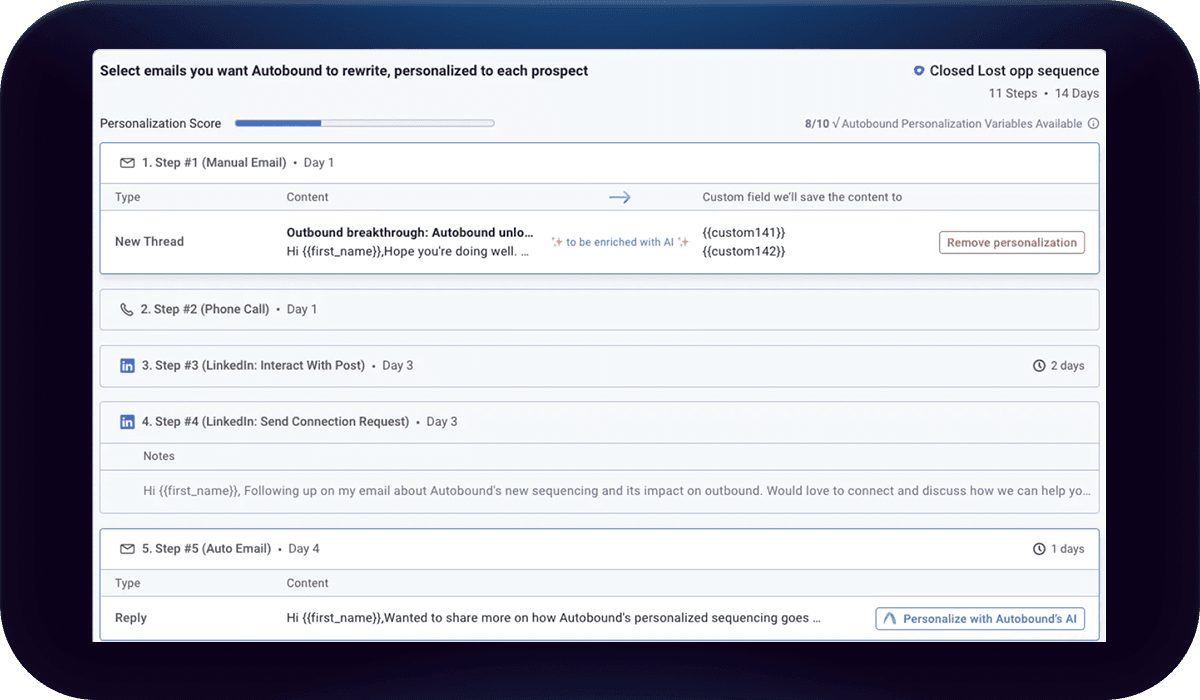
Review and Send on LinkedIn
Review the generated message and the specific buyer signals that powered it. Adjust the tone, swap an insight, or send as-is. The Chrome Extension does not send messages for you -- it generates the content and you manually send it through LinkedIn's native InMail or connection request interface. Your workflow stays exactly where it already is: on the LinkedIn profile page.
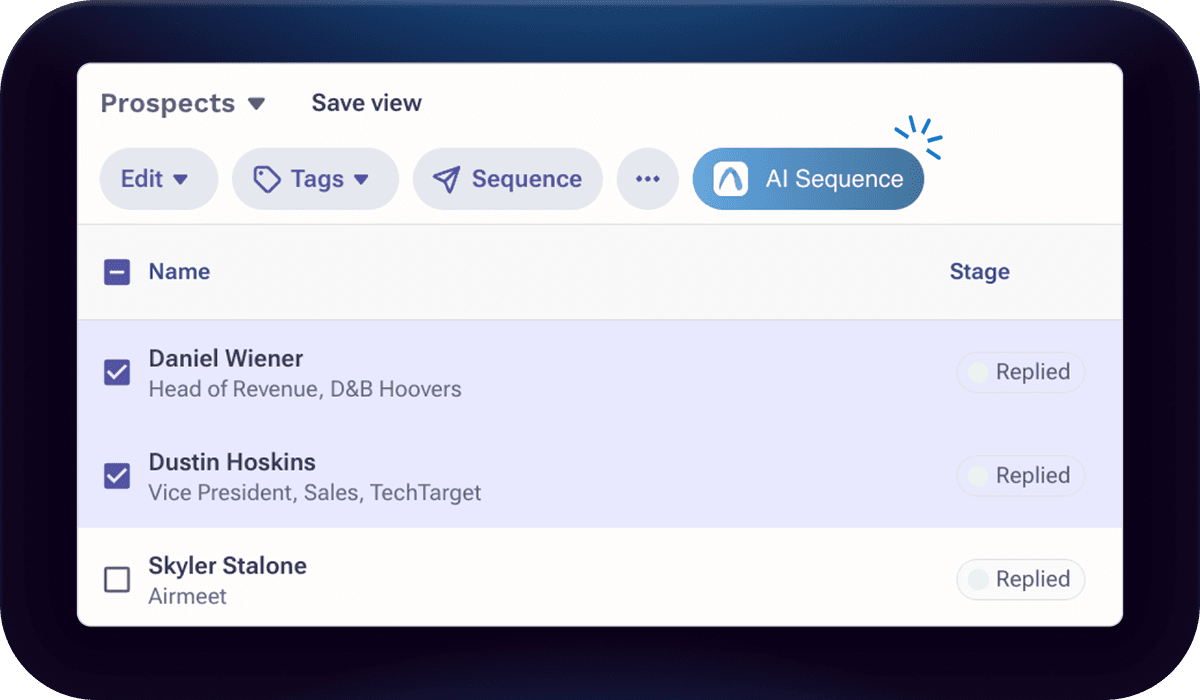
Scale with AI Studio
For teams that need LinkedIn messaging at volume, AI Studio generates personalized LinkedIn content for entire contact lists at once. Import contacts from HubSpot, Salesforce, or CSV, and Autobound creates unique LinkedIn messages for each person -- each one referencing the buyer signals most relevant to that individual.
AI Studio content can be reviewed in bulk, then manually copied to LinkedIn or exported via CSV for use in multi-channel workflows through platforms like Outreach or Instantly. This gives you the quality of hand-crafted LinkedIn outreach at the throughput of an automated campaign.
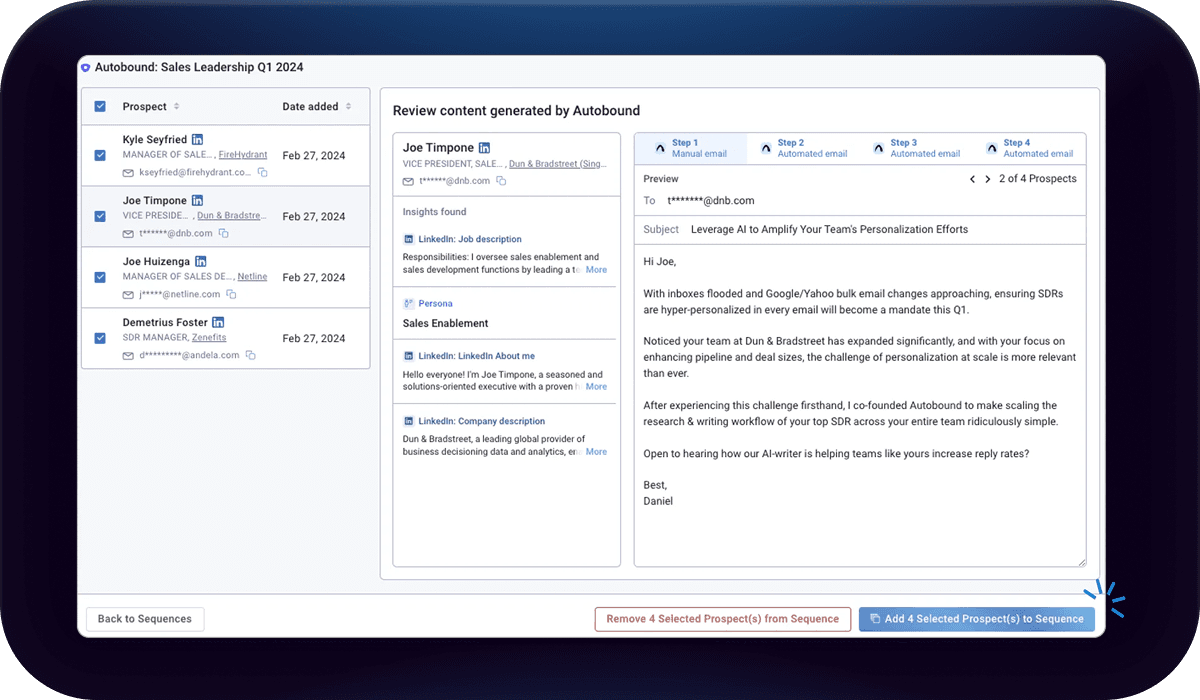
Two Ways to Generate LinkedIn Content: Chrome Extension and AI Studio
Autobound gives you two distinct surfaces for generating LinkedIn outreach content, each designed for a different workflow. Understanding the difference is key to getting the most out of the integration.
Chrome Extension: One-Off Content on Any LinkedIn Profile
The Autobound Chrome Extension works as a sidebar directly on LinkedIn. Navigate to any prospect's LinkedIn profile, click the Autobound icon, and the extension generates a personalized InMail or connection request on the spot. It analyzes the prospect's headline, job history, recent posts, mutual connections, and company context -- then produces a ready-to-use message that references what actually matters to that specific person.
This is a one-at-a-time workflow. You visit a profile, Autobound generates content, you review and edit if needed, then you manually send the message through LinkedIn's native InMail or connection request interface. The Chrome Extension does not send messages on your behalf -- it generates the content, and you handle delivery. There are no sequences or multi-step automations in the Chrome Extension. It is purpose-built for the moment you are looking at a profile and need a compelling, personalized message fast.
AI Studio: Bulk LinkedIn Content Generation and Export
For teams that need LinkedIn messaging at scale, AI Studio is the answer. Import a list of contacts -- from HubSpot, Salesforce, CSV, or any supported source -- and Autobound generates personalized LinkedIn message content for every contact in the list. This content appears as Action columns in your AI Studio campaign.
AI Studio does not send LinkedIn messages directly. LinkedIn is not an export destination. Instead, you have several options for using the generated content: manually copy individual messages and send them on LinkedIn, export the content via CSV for use in your outreach workflow, or push the content to platforms like Outreach or Instantly that handle multi-channel delivery. The value of AI Studio for LinkedIn is that it generates unique, signal-driven messaging for hundreds or thousands of contacts at once -- each message referencing the specific buyer signals most relevant to that individual.
LinkedIn URL as a Key Lookup Field
Beyond content generation, the LinkedIn URL plays a critical role in Autobound's contact matching accuracy. When you include a prospect's LinkedIn URL in your import data (whether in AI Studio or through CRM integrations), Autobound can match the contact with 80-90% accuracy against its signal database. This dramatically improves the quality of the buyer signals surfaced for each prospect -- funding rounds, hiring trends, tech stack changes, earnings data, and more. For best results, always include LinkedIn URLs alongside email addresses in your contact data.
Frequently asked questions
Does Autobound send LinkedIn messages automatically?
No. Autobound generates the content for your LinkedIn messages -- InMails and connection requests -- but it does not send them on your behalf. With the Chrome Extension, you review the generated message and manually send it through LinkedIn's native interface. With AI Studio, you export or copy the generated content and deliver it yourself. LinkedIn is not an automated send destination.
What is the difference between the Chrome Extension and AI Studio for LinkedIn?
The Chrome Extension works as a sidebar on individual LinkedIn profiles. It is designed for one-at-a-time content generation -- visit a profile, click the Autobound icon, and get a personalized InMail or connection request instantly. You send the message manually from that same LinkedIn page.
AI Studio is for bulk content generation. Import a list of contacts, and Autobound generates unique LinkedIn message content for each person. The output appears as Action columns in your campaign. You then manually copy individual messages, export via CSV, or push content to platforms like Outreach or Instantly for multi-channel delivery.
Can I do bulk LinkedIn outreach with Autobound?
Yes, through AI Studio. Import your contact list from HubSpot, Salesforce, CSV, or any supported source, and Autobound generates unique LinkedIn message content for every contact -- each one personalized with real-time buyer signals. The generated content can be reviewed in bulk, then exported via CSV or pushed to sales engagement platforms for multi-channel campaigns. The Chrome Extension is for one-off generation on individual profiles, not bulk workflows.
What LinkedIn data does Autobound analyze for personalization?
Autobound analyzes the prospect's LinkedIn headline, full job history, recent posts and activity, mutual connections, company information, and profile context. It combines this LinkedIn-specific data with its own database of 700+ real-time buyer signals -- funding rounds, hiring trends, tech stack changes, earnings calls, competitive intelligence, and more -- to generate messages that reference what actually matters to that specific buyer right now.
Including a prospect's LinkedIn URL in your import data also improves Autobound's contact matching accuracy to 80-90%, which means richer buyer signals and better personalization across all content types.
What Autobound plans include LinkedIn content generation?
The Chrome Extension is available on all Autobound plans, including the free tier. AI Studio bulk LinkedIn content generation is available on Pro, Scale, and Enterprise plans. Content Hub brand voice and messaging framework features are available on all paid plans. Visit the pricing page for full plan details.
What our customers say
"Booked me a meeting on Day 2 of using it - Offers excellent value for money. I have been able to generate a steady stream of leads using Autobound.ai without breaking the bank."

Nick L.
Business Development Representative
"This tool has significantly improved my response rate and made the process of crafting hyper-personalized emails a breeze."

Tré W.
Sales & Business Development
"Since turning Autobound on, we've noticed an order-of-magnitude increase in pipe-gen efficiency, as well as a decrease in time spent ramping new sellers."

Michael G.
CEO
"We’ve seen a positive impact in every instance - Onboarding new sales employees also became much easier because we created tailored messaging that was aligned throughout the company."

Stephen M.
Sales Director
"Simply the best way to leverage the investment you've made in people and technology, and it's helping us book meetings that we would have missed otherwise."

Joshua R.
Partner Development Manager
Other integrations
Autobound works across your entire sales stack.

Gmail
Build multi-step AI-personalized sequences that send directly from Gmail. Autopilot for scale, Copilot for control, Chrome extension for ad-hoc.

Salesloft
Generate AI-personalized cadence content in AI Studio, then deliver it to Salesloft via CSV export -- with native Salesloft integration coming soon.

Outreach
Export AI-personalized content from Autobound AI Studio directly into Outreach's 35 built-in custom fields. Your sequences reference those fields as variable tokens -- when fields update, Outreach auto-enrolls prospects and sends from the mapped owner's account.
Use Cases
See how teams use Autobound
From autopiloted SDRs to enterprise copilots -- explore real workflows.
Platform
Explore the platform
Signal Engine, Insights Engine, Content Hub -- see the full product.
Success Stories
Real results from real teams
See how companies are driving replies, meetings, and revenue.
Related Articles
Patents are a buying signal. We rebuilt ours from the string up.
A relaunched patent signal feed: four subtypes, an entity-resolution engine that turns raw assignee strings and inven...
What's New at Autobound Signal API: Fall 2026
Real, typed buying signals from 12,000 podcast episodes a day and 5,400 conference agendas a year, with the executive...
What's New at Autobound Signal API — August 2026
August at Autobound: podcast intelligence at scale, subtype filtering on enrich that cuts credit spend, and SEO signa...

Explore signal data
35+ data sources. 250M+ contacts. Custom configurations for your use case.