

Export AI-Personalized Content Directly into Outreach Custom Fields
Autobound generates AI-personalized emails, LinkedIn messages, and call scripts using 700+ buyer signals, then exports them to Outreach custom fields like {{custom25}} and {{custom26}}. Your sequences auto-enroll prospects when fields update. All analytics stay in Outreach.
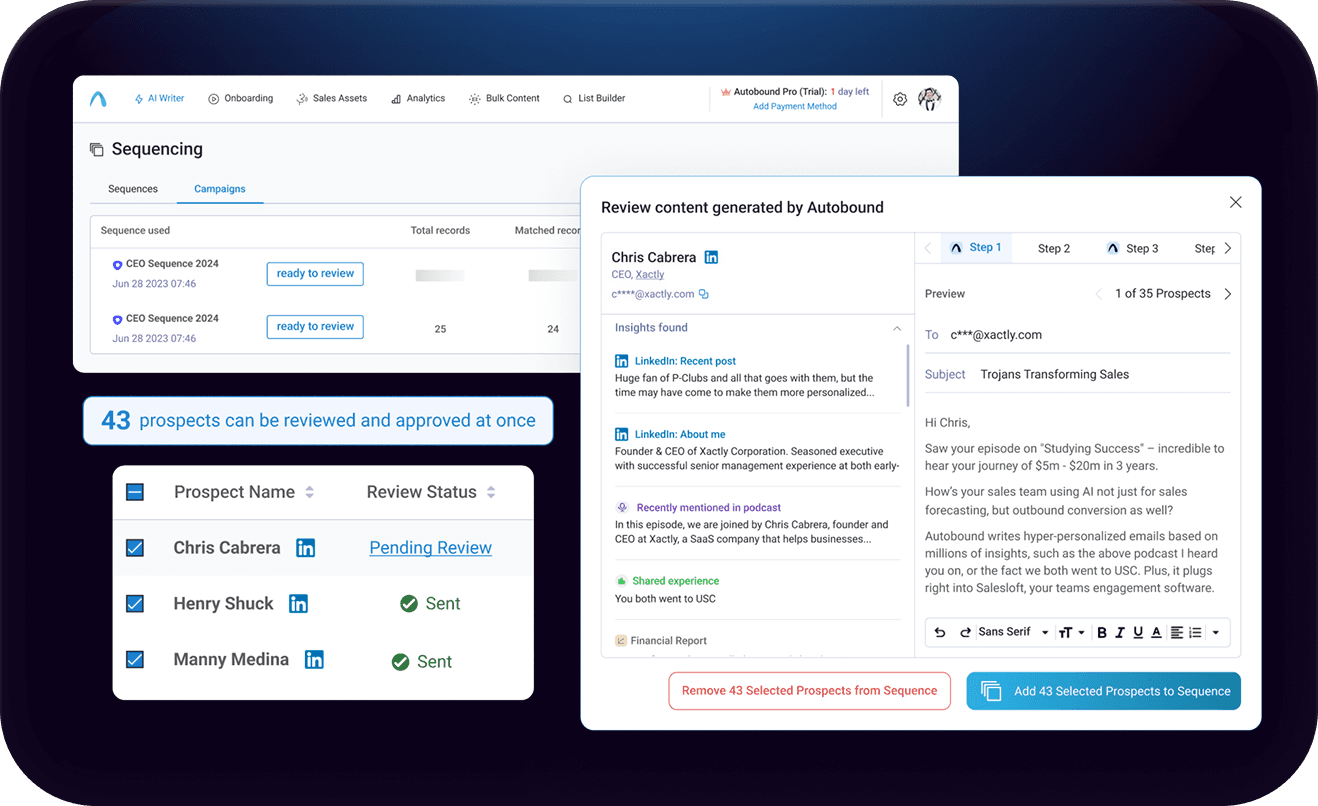
Scale AI-Personalized Multi-Channel Outreach Inside Outreach
Export AI-personalized content from Autobound AI Studio directly into Outreach's 35 built-in custom fields. Your sequences reference those fields as variable tokens -- when fields update, Outreach auto-enrolls prospects and sends from the mapped owner's account.
Key capabilities
What Autobound + Outreach unlocks for your team.
Custom Field Export
Push AI-personalized subject lines and email bodies into Outreach's 35 built-in custom fields ({{custom1}} through {{custom35}}). Each prospect gets unique content -- no templates, no token replacement.
Multi-Channel Content
Generate personalized emails, LinkedIn messages, and call scripts from the same 700+ buyer signals. Map each content type to its own custom field for consistent multi-channel sequences.
Autopilot & Copilot Modes
Copilot lets reps review AI content before export. Autopilot generates and pushes content automatically. Switch between modes at any time based on your team's comfort level.
Native Outreach Analytics
Every email sends natively through Outreach, so opens, replies, clicks, bounces, and meetings booked all flow through Outreach's reporting dashboard with zero additional configuration.
Trigger-Based Enrollment
Configure Outreach sequences to auto-enroll prospects when their custom fields update. Content export and sequence enrollment happen without manual intervention.
Available on All Plans
The Outreach integration is available on every Autobound plan, including the free Basic tier. No premium upgrade required to connect and start exporting personalized content.
How it works
Get up and running with Outreach in 4 simple steps.
Connect Outreach in AI Studio
Navigate to Settings > Integrations in Autobound AI Studio and connect your Outreach account. Authentication uses Outreach's standard OAuth flow -- no API keys to manage or IT tickets to file. Once connected, Autobound can read your Outreach Prospect objects and write to their custom fields.
The connection supports all Outreach subscription tiers that expose custom fields via the API. Multiple Outreach instances can be connected for teams managing separate orgs or business units.
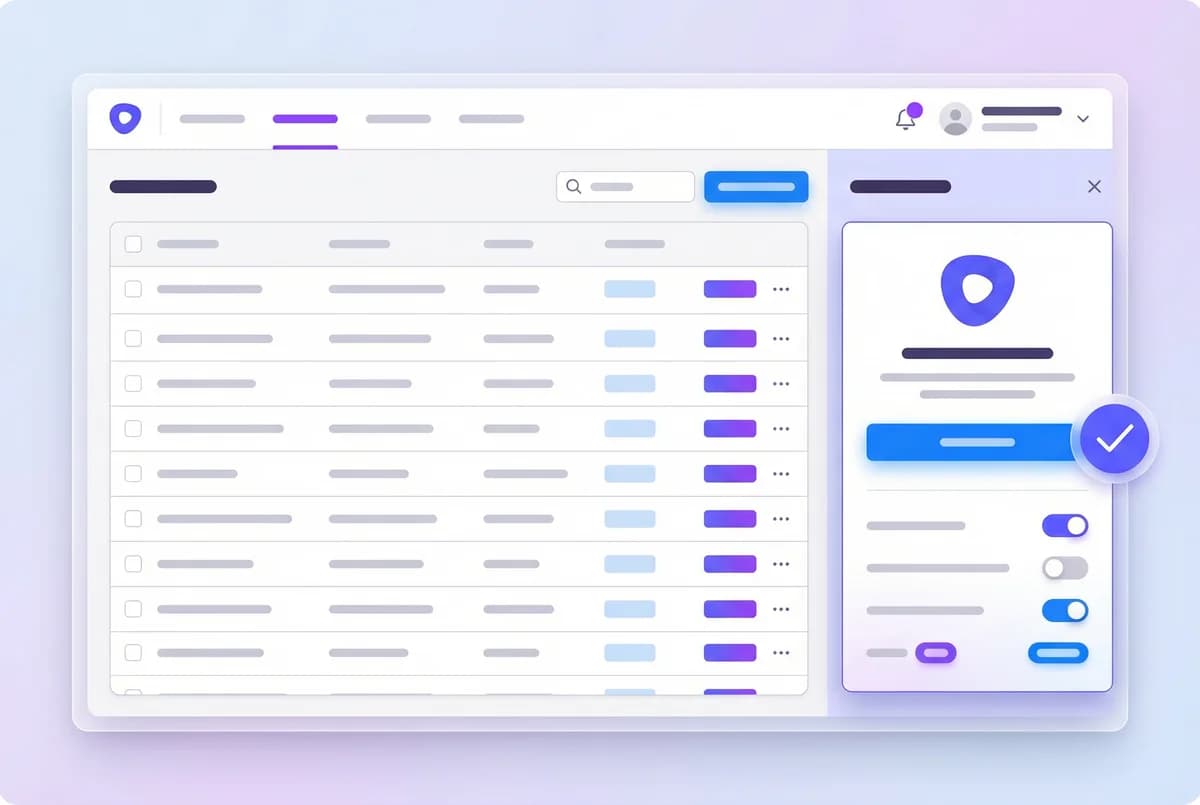
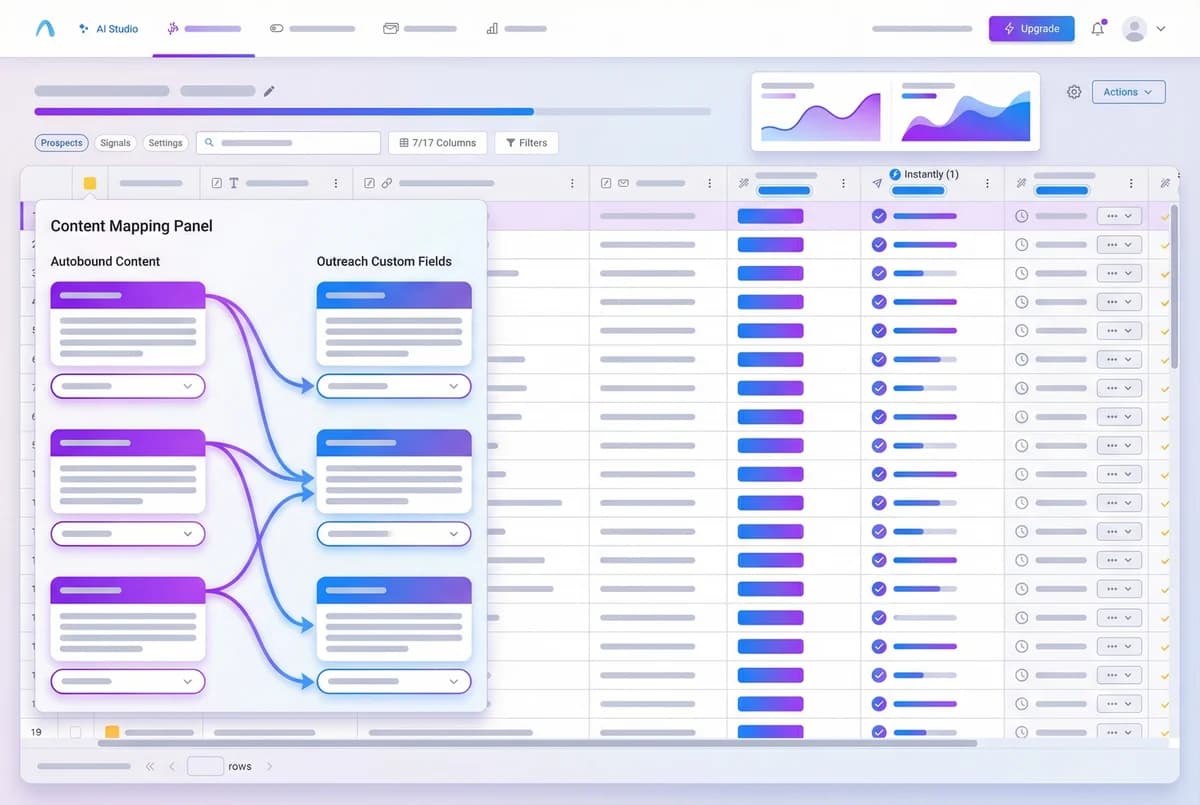
Map Content to Custom Fields
Outreach provides 35 built-in custom fields on the Prospect object: {{custom1}} through {{custom35}}. In AI Studio, add an Export column and select "Export to Outreach." Then map each Autobound content output -- subject line, email body, LinkedIn message, call script -- to a specific custom field.
For multi-step sequences, map each step's content to its own pair of custom fields. For example: Step 1 subject to {{custom25}}, Step 1 body to {{custom26}}, Step 2 subject to {{custom27}}, Step 2 body to {{custom28}}. In your Outreach sequence templates, reference these fields as variable tokens so the AI-generated content renders when the email sends.
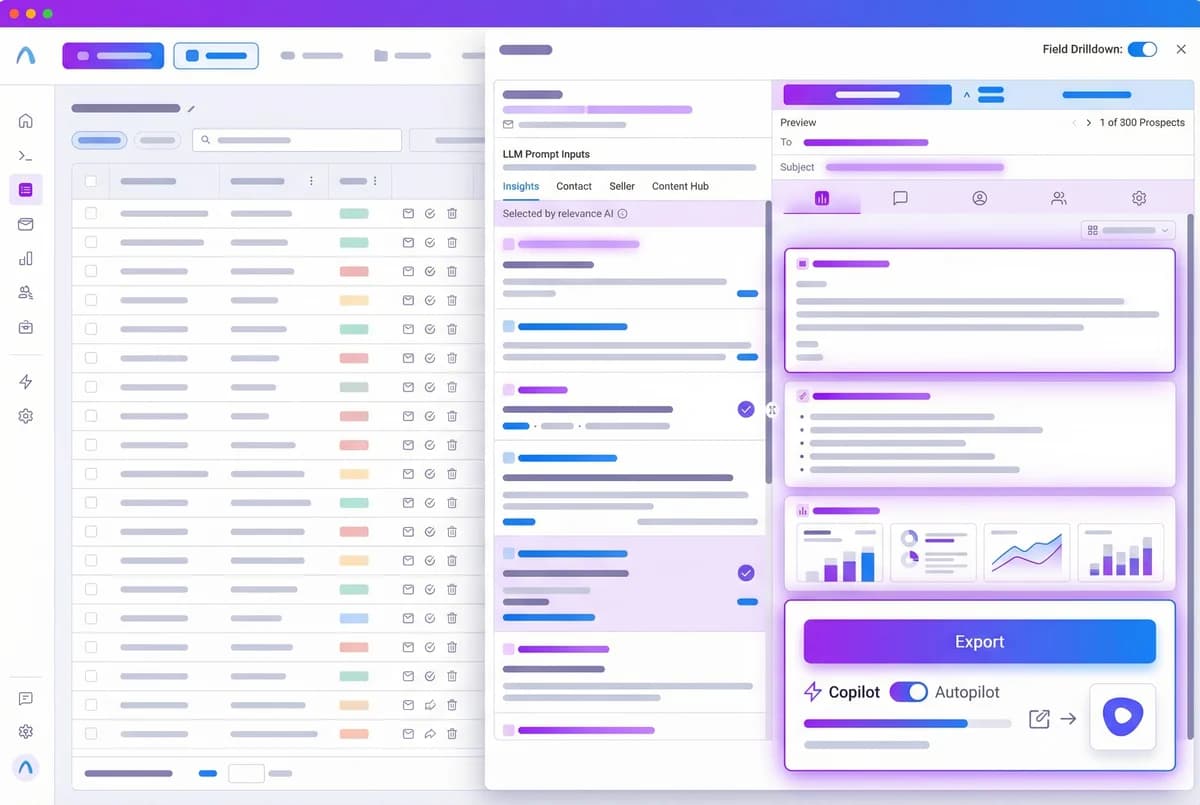
Export AI-Personalized Content
With field mappings configured, generate AI-personalized content for your prospects in AI Studio. Autobound researches each prospect against 700+ real-time buyer signals -- funding rounds, executive hires, technology stack changes, earnings call themes, job postings, shared alma maters, and more -- and writes unique subject lines, email bodies, LinkedIn messages, and call scripts.
Choose Copilot Mode to review each piece of content before export, or Autopilot Mode to generate and export automatically. Either way, the finished content is pushed to the mapped Outreach custom fields via the API. Content includes both plain-text and HTML versions for proper formatting in Outreach email steps.
Auto-Enroll and Send via Outreach
Once content is exported to Outreach custom fields, Outreach's trigger-based enrollment handles the rest. Configure your sequences to auto-enroll prospects when their custom fields update -- no manual intervention required. Emails send from the sequence owner's account with their signature, throttling, and sending window settings.
All engagement data -- opens, replies, clicks, bounces, and meetings booked -- flows through Outreach's native reporting. There is nothing to reconcile across platforms. Run A/B tests on different AI-generated content strategies by mapping different content versions to different custom fields and comparing sequence-level performance in Outreach's analytics dashboard.
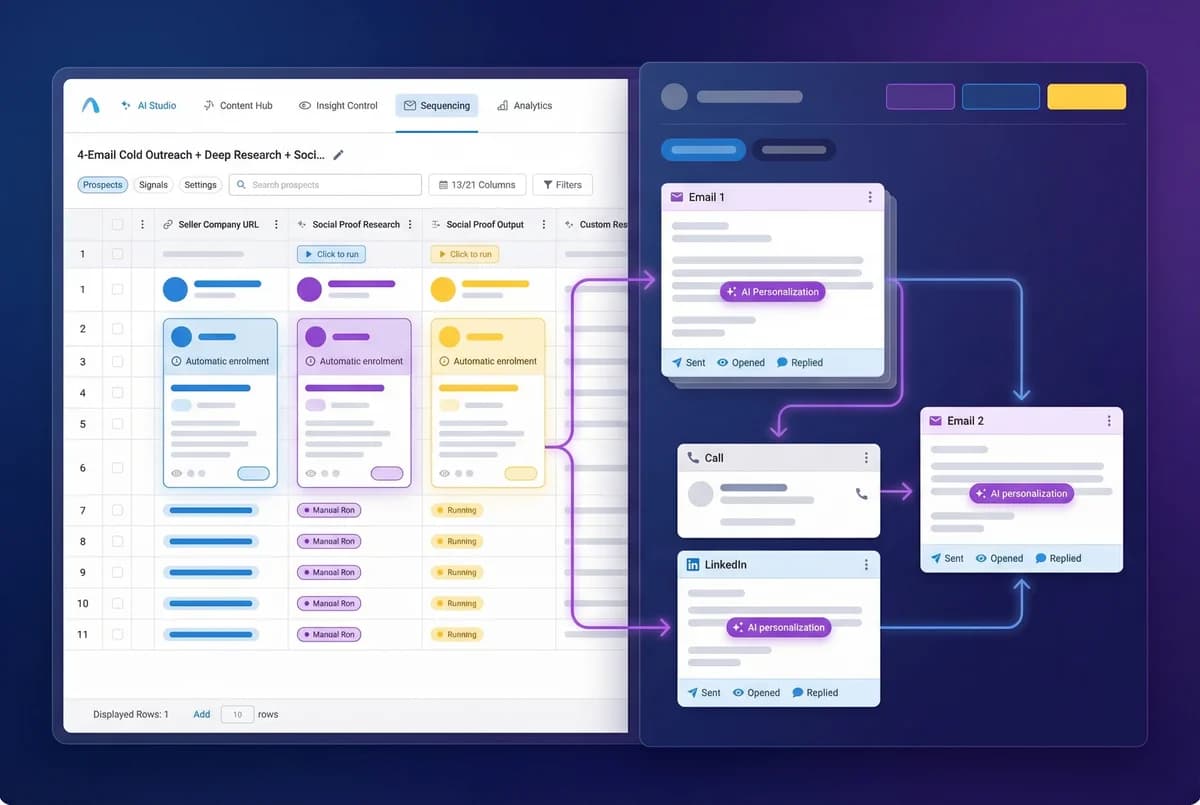
Why Custom Field Export Beats Template Replacement
Traditional integrations modify your sequences or inject content by replacing template text. Autobound takes a fundamentally different approach: it writes AI-personalized content into Outreach's 35 built-in custom fields ({{custom1}} through {{custom35}}), and your sequences simply reference those fields as variable tokens. Your sequence templates stay exactly as you built them -- the personalization flows through the data layer, not the template layer.
This architecture preserves everything Outreach does well. Sequence analytics, A/B testing, step-level reporting, and deliverability monitoring all work exactly as they always have, because Outreach is still rendering and sending every email natively. There is no shadow system, no sequence duplication, and no content replacement happening behind the scenes.
How Custom Field Mapping Works Under the Hood
Outreach provides 35 custom fields on the Prospect object: {{custom1}} through {{custom35}}. When you configure the Autobound integration in AI Studio, you map each content output to a specific custom field. For example, you might map the AI-generated subject line to {{custom25}} and the email body to {{custom26}}. For multi-step sequences, you can map Step 2's subject to {{custom27}} and body to {{custom28}}, and so on.
In your Outreach sequence, you build email steps that reference these variables. When Autobound exports personalized content for a prospect, it populates the custom fields via the Outreach API. Outreach's trigger-based enrollment detects the field update and automatically adds the prospect to the appropriate sequence. The email renders with the AI-generated content pulled from the custom fields, and sends from the sequence owner's account with their signature, tracking settings, and sending schedule.
Because custom fields persist on the Prospect object, they can be referenced by any sequence, template, or snippet in Outreach. A single export from Autobound can feed content to multiple sequences simultaneously -- first-touch, follow-up, re-engagement, and event-triggered sequences can all pull from the same set of personalized fields.
Multi-Channel Content Through Custom Fields
Custom fields are not limited to email content. Autobound generates personalized LinkedIn messages, call scripts, and video outreach scripts, all of which can be mapped to dedicated custom fields. A rep working through a multi-channel Outreach sequence can see AI-personalized talking points for a call step by referencing {{custom30}}, or a tailored LinkedIn connection request in {{custom31}}.
Every piece of content is generated from the same 700+ real-time buyer signals -- funding rounds, executive hires, technology stack changes, earnings call themes, job postings, shared connections, and more. This means the messaging across email, LinkedIn, and phone is thematically consistent, referencing the same signals from different angles appropriate to each channel.
Autopilot Mode vs. Copilot Mode in AI Studio
Copilot Mode generates personalized content for each prospect and presents it for human review inside AI Studio before exporting. Reps see the AI-generated email alongside the specific buyer signals that informed it, and can approve, edit, or reject each message. Once approved, the content is exported to Outreach custom fields and the prospect is enrolled in the sequence.
Autopilot Mode removes the review step entirely. Autobound generates content and exports it directly to Outreach custom fields without manual intervention. Combined with Outreach's trigger-based enrollment, this creates a fully automated pipeline: AI Studio generates content, pushes it to custom fields, and Outreach enrolls and sends -- all without a rep touching anything.
Both modes are available on all Autobound plans, including the free Basic tier. Teams can start with Copilot to build confidence in the AI output, then switch to Autopilot once they are comfortable with the content quality.
AI sequencing with Outreach
Autobound integrates seamlessly with Outreach sequences. Import your existing sequences, select which steps to personalize, and let AI generate unique content for every prospect at every step.
Every step personalized
Not just the first email -- every follow-up is uniquely generated using real-time signals like funding, hiring, news, and social activity.
Review and approve
AI drafts every message, but you maintain control. Review, edit, and approve before sending -- ensuring brand safety at scale.
Scale without sacrifice
Run sequences to hundreds or thousands of prospects with the same quality you would give to one.
Frequently asked questions
Which Autobound plan includes the Outreach integration?
The Outreach integration is available on all Autobound plans, including the free Basic tier. You can connect Outreach, map custom fields, and export AI-personalized content without upgrading to a paid plan.
How do Outreach custom fields work with Autobound?
Outreach provides 35 built-in custom fields on the Prospect object, labeled {{custom1}} through {{custom35}}. In Autobound AI Studio, you map each content output (subject line, email body, LinkedIn message, call script) to a specific custom field. Your Outreach sequence templates reference these fields as variable tokens. When Autobound exports content, it populates the fields via the Outreach API, and the email renders with the personalized content when it sends.
What is the difference between Autopilot and Copilot mode?
Copilot Mode generates AI-personalized content and presents it for human review inside AI Studio before exporting to Outreach. Reps see each message alongside the buyer signals that informed it, and can approve, edit, or reject before export.
Autopilot Mode removes the review step. Content is generated and exported directly to Outreach custom fields without manual intervention. Combined with trigger-based enrollment in Outreach, this creates a fully automated pipeline from content generation to email send.
Does Autobound modify my original Outreach sequences?
No. Autobound never modifies your Outreach sequences or templates. It only writes to custom fields on the Prospect object. Your sequences reference those fields as variable tokens -- the sequence structure, step order, timing, and sending rules remain entirely under your control in Outreach.
What analytics and tracking are preserved?
All of them. Because emails are composed and sent natively by Outreach, every analytics metric works exactly as it always has: open tracking, reply tracking, click tracking, bounce monitoring, A/B test results, and meeting-booked attribution all flow through Outreach's built-in reporting. There is no data to reconcile between platforms.
Other integrations
Autobound works across your entire sales stack.

Salesloft
Generate AI-personalized cadence content in AI Studio, then deliver it to Salesloft via CSV export -- with native Salesloft integration coming soon.

Instantly
Push AI-generated, individually personalized cold emails into Instantly campaigns at scale -- from one prospect to twenty thousand.

Generate AI-personalized InMails and connection requests from any LinkedIn profile with the Chrome Extension, or create bulk LinkedIn content at scale with AI Studio. Autobound generates the content -- you send it.
Use Cases
See how teams use Autobound
From autopiloted SDRs to enterprise copilots -- explore real workflows.
Platform
Explore the platform
Signal Engine, Insights Engine, Content Hub -- see the full product.
Success Stories
Real results from real teams
See how companies are driving replies, meetings, and revenue.
Related Articles
Patents are a buying signal. We rebuilt ours from the string up.
A relaunched patent signal feed: four subtypes, an entity-resolution engine that turns raw assignee strings and inven...
What's New at Autobound Signal API: Fall 2026
Real, typed buying signals from 12,000 podcast episodes a day and 5,400 conference agendas a year, with the executive...
What's New at Autobound Signal API — August 2026
August at Autobound: podcast intelligence at scale, subtype filtering on enrich that cuts credit spend, and SEO signa...

Explore signal data
35+ data sources. 250M+ contacts. Custom configurations for your use case.