
.svg)
AI-Powered Email Sequences, Sent Natively from Outlook
AI Studio treats Outlook as a first-class sending channel for multi-step email sequences -- identical capabilities to Gmail, zero compromises. Connect via OAuth, build AI-personalized sequences with 700+ buyer signals, configure follow-up threading and delays, and send at scale with Autopilot or Copilot mode. Every email is delivered directly from your Outlook inbox with signatures intact. Built for Microsoft-first sales organizations.
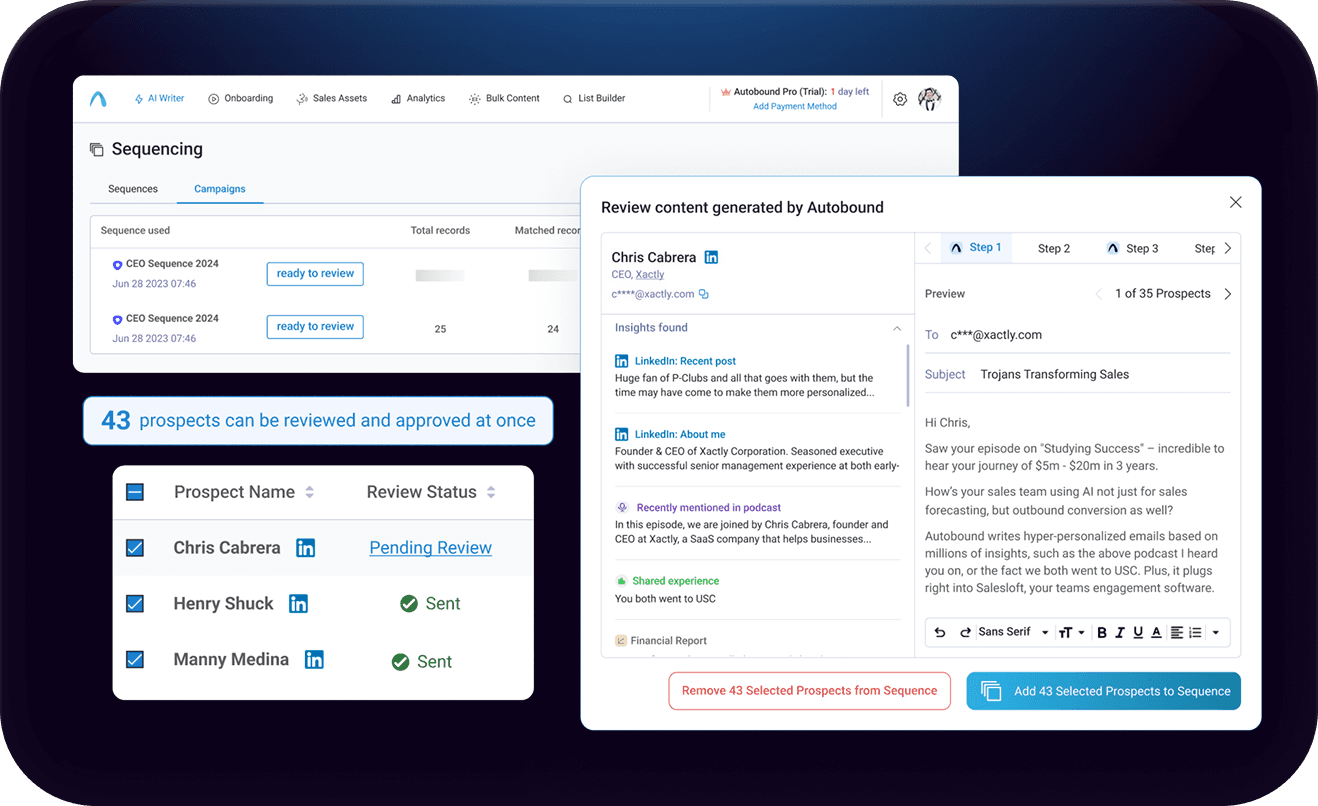
AI-Powered Multi-Step Sequences, Delivered from Your Enterprise Inbox with Outlook
First-class Outlook sequencing in AI Studio. Build multi-step, AI-personalized campaigns that send directly from your Outlook inbox at enterprise scale.
Key capabilities
What Autobound + Outlook unlocks for your team.
Gmail-Parity Native Sequencing
Outlook gets the exact same multi-step sequencing engine as Gmail -- same personalization, same automation modes, same threading controls. No feature gaps for Microsoft-first teams.
Zero IT Provisioning
Connect via OAuth in minutes. No Outlook add-in marketplace approvals, no IT tickets, and no changes to your Microsoft 365 environment. Reps can start sending immediately.
New Thread vs Reply Threading
Configure each follow-up step as a New Thread (separate conversation) or Reply (continuing the existing thread). Control exactly how your sequences appear in the recipient's inbox.
Autopilot and Copilot Modes
Autopilot sends your entire sequence automatically on schedule. Copilot gives reps a review step before every send, with full signal transparency so they can verify and edit before approving.
BCC CRM Logging
Every email sent through Outlook is automatically logged to HubSpot or Salesforce via BCC. Your CRM stays current without manual data entry -- critical for pipeline attribution and reporting.
Enterprise Microsoft 365 Compatible
Built for security-conscious organizations running Microsoft 365. The OAuth connection requires no admin approvals, no add-in deployments, and has zero impact on your existing Microsoft stack.
How it works
Get up and running with Outlook in 4 simple steps.
Connect Outlook and Configure Your Sending Channel
Connect your Outlook account to AI Studio via a simple OAuth flow -- no IT tickets, no Outlook add-in marketplace approvals, and no changes to your Microsoft 365 environment. Add a "Send with Outlook" column to your campaign, map your email fields, and configure BCC logging to HubSpot or Salesforce so your CRM stays in sync. Your email signatures and display name carry through every message automatically.
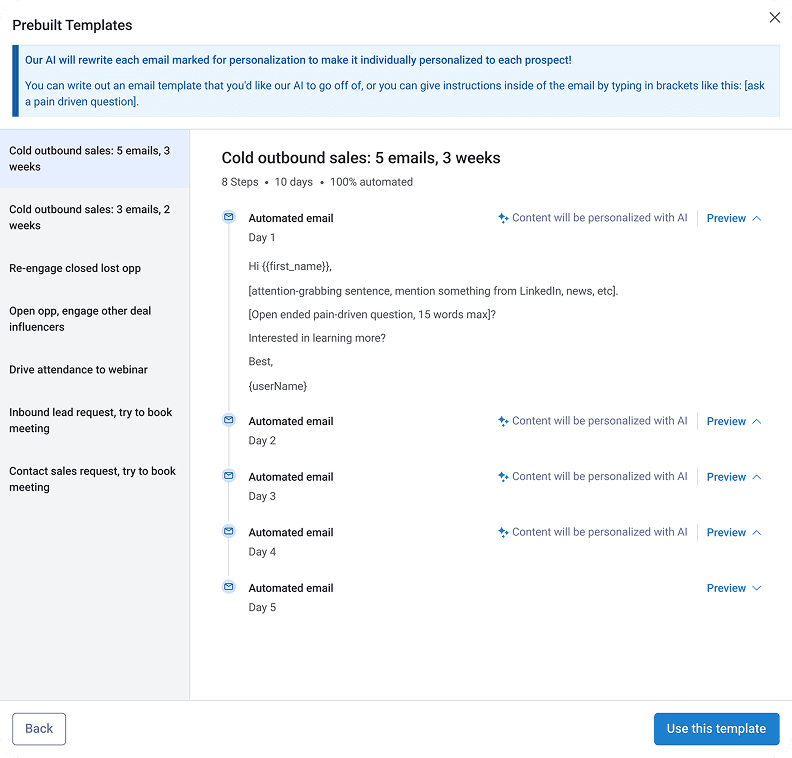
Generate AI-Personalized Sequences
AI Studio analyzes every prospect using 700+ real-time buyer signals -- earnings calls, leadership changes, technology adoption, hiring patterns, funding rounds, and more -- then generates uniquely personalized email sequences for each recipient. Use your Content Hub messaging frameworks to keep every draft on-brand and on-message, or let the AI compose from scratch based on signal context.
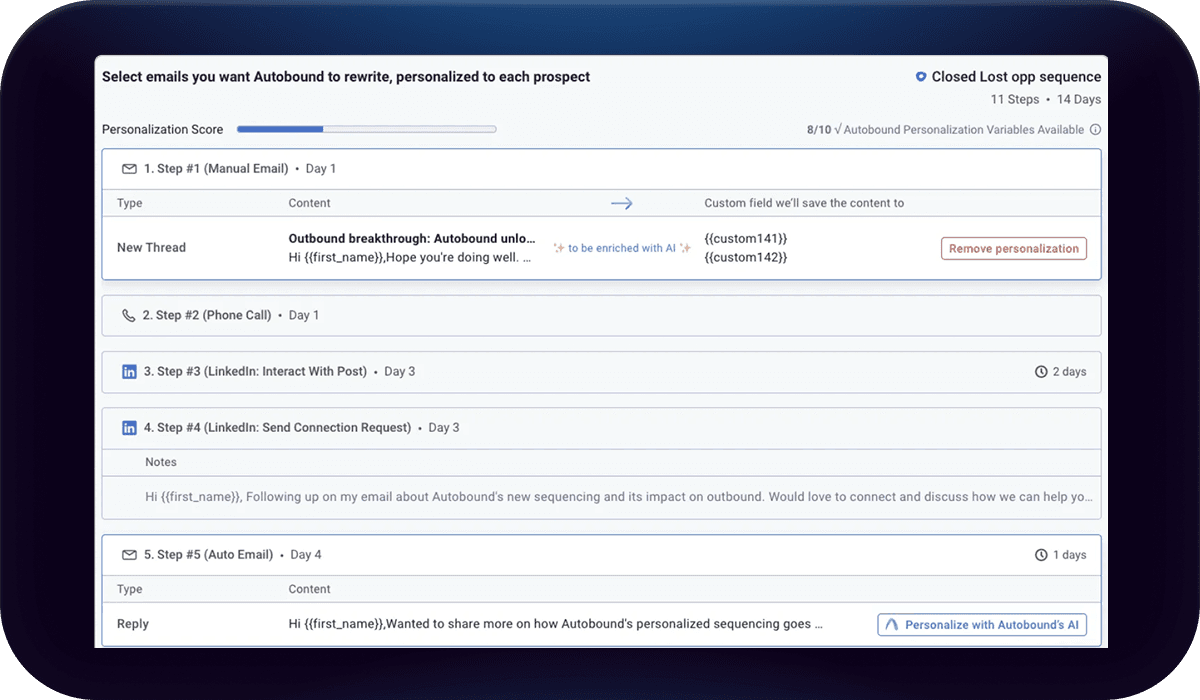
Configure Multi-Step Delivery
Build multi-step sequences with granular control over delivery. Configure each follow-up step as a New Thread (starting a separate email conversation) or a Reply (continuing the existing thread). Set specific send delays between steps -- for example, "2 days after previous email" -- and define Run Conditions that control whether a step executes based on prospect engagement. Track every email in real time with status indicators: Waiting, Running, Success, or Error.
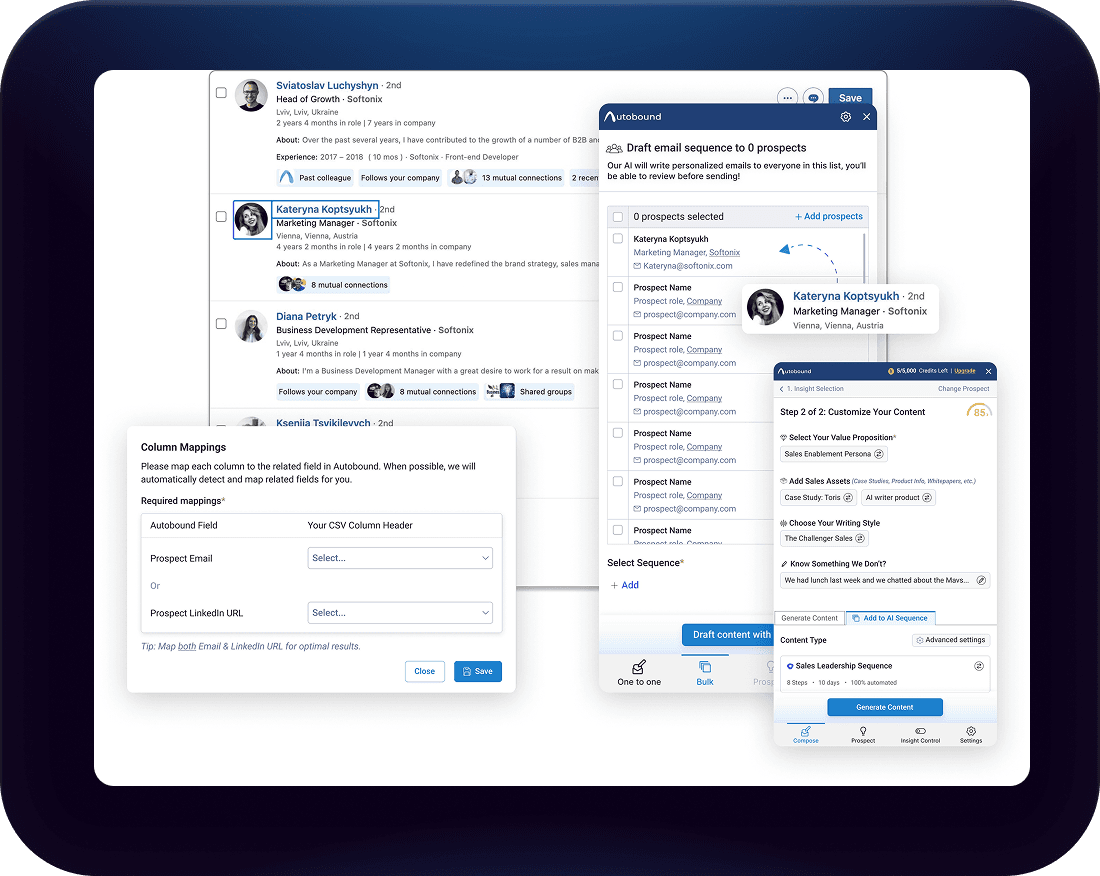
Send with Autopilot or Copilot
Choose how you send. Autopilot mode delivers your entire sequence automatically -- emails go out on schedule without manual intervention, ideal for high-volume outbound. Copilot mode gives you a review step before every send, letting reps verify AI-generated content with full signal transparency and make edits before approving.
For ad-hoc emails outside of structured campaigns, the Autobound Chrome Extension can generate personalized drafts using real-time buyer signals -- a helpful complement when you need quick, one-off personalization without building a full campaign in AI Studio.
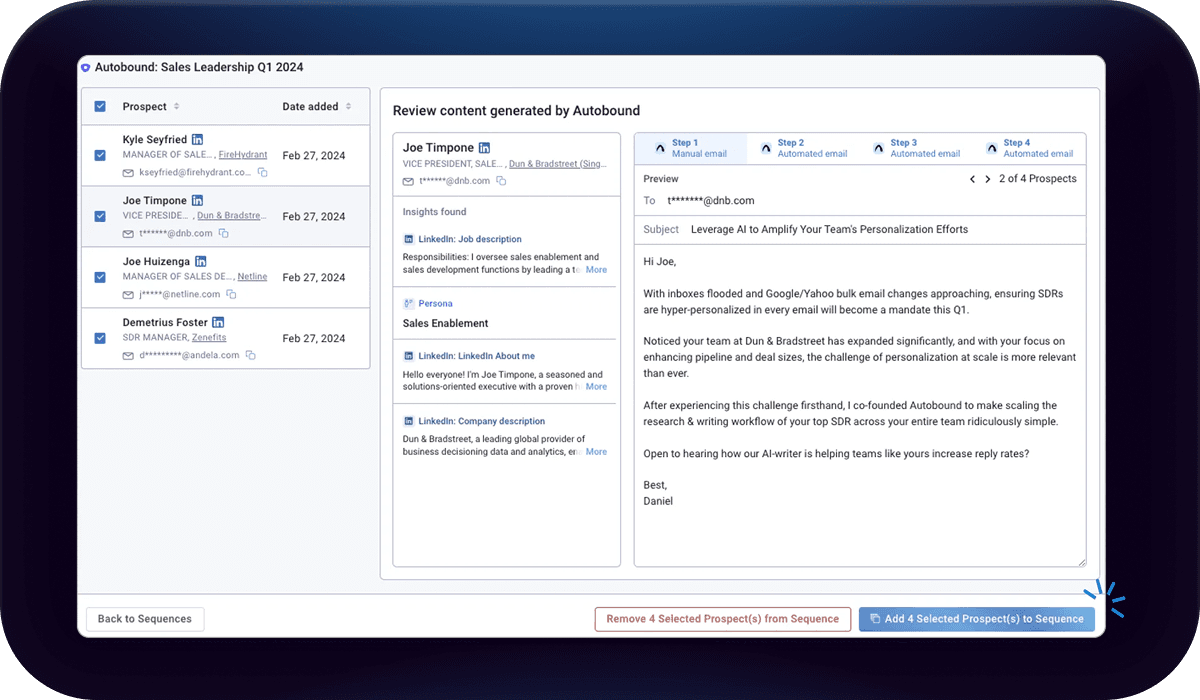
Outlook as a First-Class Sending Channel in AI Studio
AI Studio treats Outlook as a native sending channel with full parity to Gmail -- no compromises, no workarounds. Connect your Outlook account via OAuth, add a "Send with Outlook" column to any campaign, map your email fields, and start building multi-step sequences that send directly from your Outlook inbox. Your email signatures, display name, and reply-to address carry through every message exactly as recipients expect.
Each sequence step can be configured as a New Thread (starting a separate conversation) or a Reply (continuing the existing thread), with specific send delays between steps -- for example, "2 days after previous email" or "4 days after previous email." Run Conditions let you control whether follow-up steps execute based on prospect engagement, and every email includes real-time status tracking: Waiting, Running, Success, or Error. BCC logging to HubSpot or Salesforce is built in, so your CRM stays current without manual data entry.
Why Microsoft-First Sales Teams Choose Autobound
Most AI email tools are built around Gmail and bolt on Outlook support as an afterthought. Autobound is different. Outlook is a first-class channel with the same sequencing capabilities, the same personalization engine, and the same automation modes as Gmail. For organizations that run on Microsoft 365, this means no pressure to migrate email clients and no feature gaps.
Deployment is equally frictionless. The AI Studio OAuth connection requires no IT provisioning, no Outlook add-in marketplace approvals, and no changes to your Microsoft 365 environment. Security-conscious enterprises can get reps sending personalized sequences within minutes of connecting their accounts.
AI Studio Handles Outlook Natively
AI Studio is your command center for scaled outbound through Outlook: upload prospect lists, generate personalized multi-step sequences using 700+ buyer signals, configure threading and delays, and launch campaigns in Autopilot (fully automated) or Copilot (manual review before each send) mode. Every email is delivered from your Outlook inbox.
For ad-hoc emails, the Autobound Chrome Extension can generate personalized drafts using buyer signals -- ideal for one-off prospecting moments when you need quick personalization without building a full campaign. AI Studio provides the primary workflow for Outlook-based sequences at scale, while the Chrome Extension adds flexibility for individual emails across your browser-based workflows.
Run AI-powered sequences directly in Outlook
Create multi-touch email sequences where every step is personalized with 700+ insights -- all native in Outlook. No third-party sequencing platform required.
Every step personalized
Not just the first email -- every follow-up is uniquely generated using real-time signals like funding, hiring, news, and social activity.
Review and approve
AI drafts every message, but you maintain control. Review, edit, and approve before sending -- ensuring brand safety at scale.
Scale without sacrifice
Run sequences to hundreds or thousands of prospects with the same quality you would give to one.
Frequently asked questions
Is Outlook setup truly zero-IT?
Yes. The Outlook connection in AI Studio uses a standard OAuth flow -- the same kind of authentication you use when signing into any third-party app with your Microsoft account. There are no Outlook add-ins to install, no marketplace approvals, and no changes to your Microsoft 365 environment. A rep can connect their Outlook account and start sending personalized sequences in minutes without involving IT.
Does Outlook have full feature parity with Gmail in AI Studio?
Yes. Outlook is a first-class sending channel in AI Studio with identical capabilities to Gmail. You get the same multi-step sequencing, the same 700+ buyer signal personalization, the same Autopilot and Copilot modes, the same New Thread vs Reply threading controls, and the same Run Conditions. There are no features available in Gmail that are missing from Outlook.
Does the Autobound Chrome Extension work with Outlook?
AI Studio handles Outlook natively as a full sending channel -- that is the primary and recommended workflow for Outlook-based outreach. The Chrome Extension can generate personalized drafts for ad-hoc emails, but for structured multi-step sequences sent through Outlook, AI Studio provides the complete workflow including sequencing, threading, delays, and automation modes.
Which Autobound plans include Outlook support?
Outlook as a sending channel in AI Studio is available on all paid plans (Pro, Scale, and Enterprise). The Pro plan includes one connected email account, Scale includes multiple accounts, and Enterprise supports unlimited accounts with advanced admin controls.
How do I set up BCC logging to my CRM?
For HubSpot, copy your unique BCC address from Settings > Objects > Activities in HubSpot and paste it into your Outlook integration settings in AI Studio. For Salesforce, copy your Email-to-Salesforce BCC address from Profile > Settings > My Email to Salesforce. Once configured, every email sent through your Outlook sequences is automatically recorded as an activity on the corresponding CRM record.
Other integrations
Autobound works across your entire sales stack.

Gmail
Build multi-step AI-personalized sequences that send directly from Gmail. Autopilot for scale, Copilot for control, Chrome extension for ad-hoc.

Generate AI-personalized InMails and connection requests from any LinkedIn profile with the Chrome Extension, or create bulk LinkedIn content at scale with AI Studio. Autobound generates the content -- you send it.

Salesloft
Generate AI-personalized cadence content in AI Studio, then deliver it to Salesloft via CSV export -- with native Salesloft integration coming soon.
Use Cases
See how teams use Autobound
From autopiloted SDRs to enterprise copilots -- explore real workflows.
Platform
Explore the platform
Signal Engine, Insights Engine, Content Hub -- see the full product.
Success Stories
Real results from real teams
See how companies are driving replies, meetings, and revenue.
Related Articles
Nobody Lies to r/sysadmin: Reddit Is Now a B2B Signal Source
Autobound now mines 500+ hand-vetted business communities for 15 types of B2B signal: buying intent, pricing revolts,...
Patents are a buying signal. We rebuilt ours from the string up.
A relaunched patent signal feed: four subtypes, an entity-resolution engine that turns raw assignee strings and inven...
What's New at Autobound Signal API: Fall 2026
Real, typed buying signals from 12,000 podcast episodes a day and 5,400 conference agendas a year, with the executive...

Explore signal data
35+ data sources. 250M+ contacts. Custom configurations for your use case.